01
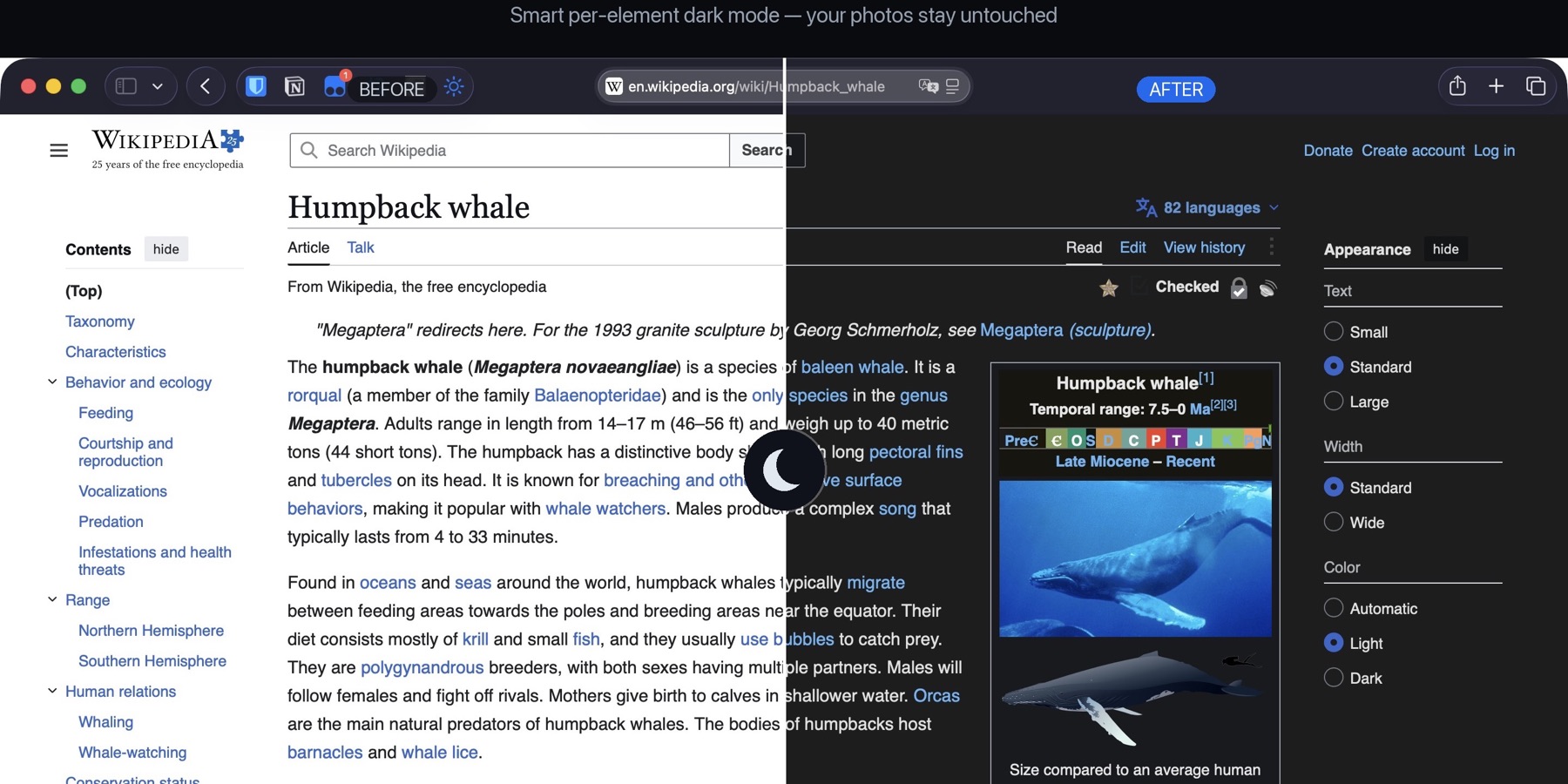
逐元素适配,不是粗暴反色Per-element adaptation, not crude inversion
分别调整背景、文字、边框与控件的明暗关系,尽量保留原页面层级。Backgrounds, text, borders, and controls are adjusted separately to preserve the page hierarchy.
Safari 深色模式Dark Mode for Safari
让常用网页更适合夜间浏览:逐元素调整页面配色,图片保持原色,并在加载开始时尽早应用深色样式,减少刺眼闪白。 A more comfortable way to browse supported sites at night: page colors adapt element by element, photos keep their natural look, and dark styling starts early to reduce harsh white flashes.
免费 · macOS 11 或更高版本 · Safari 扩展Free · macOS 11 or later · Safari extension
为什么看起来更自然Why it looks more natural
以下都是产品的真实使用画面。不同网站结构不同,实际效果会有所差异。These are real product views. Website designs vary, so results can differ from site to site.
分别调整背景、文字、边框与控件的明暗关系,尽量保留原页面层级。Backgrounds, text, borders, and controls are adjusted separately to preserve the page hierarchy.
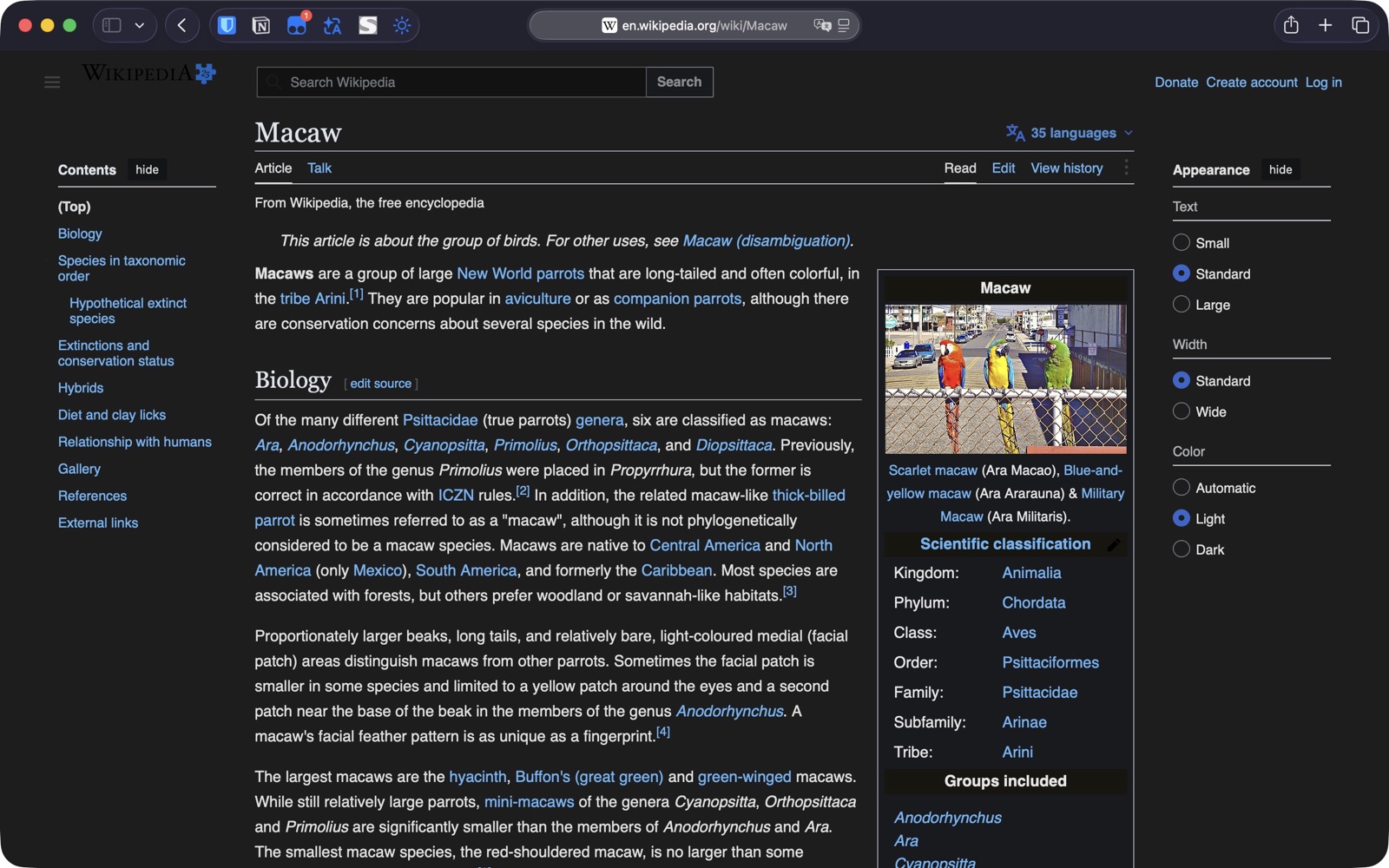
图片和视频不会进行颜色反转;过亮的大图可能适度压暗,以减少夜间刺眼感。Images and video are not color-inverted. Overly bright large images may be gently dimmed to reduce nighttime glare.
页面改色留在本机;按站点偏好可通过你自己的 iCloud 同步。Page recoloring stays local; per-site preferences may sync through your own iCloud.
页面内容和改色处理留在设备本地;按站点偏好可能通过你自己的 iCloud 同步,开发者无法访问。Page content and recoloring stay on your device. Per-site preferences may sync through your own iCloud account, which the developer cannot access.
每个网站,由你决定Your choice for each site
从 Safari 工具栏选择模式。你为每个网站选择的状态会单独保存,下次访问时自动应用。Choose a mode from the Safari toolbar. The state is stored separately for each site and applied on your next visit.
为这个网站启用深色处理。Apply dark recoloring to this site.
根据系统外观自动切换。Follow your system appearance.
保持这个网站原有外观。Keep this site in its original appearance.
减少加载闪白Reduced white flash
页面开始加载时尽早应用深色样式,减少由亮到暗的刺眼变化。Dark styling starts early in page loading to reduce the harsh light-to-dark transition.
尊重原生深色页面Respects natively dark pages
检测到页面本身已有深色设计时,尽量避免重复处理。When a page already uses a dark design, the extension aims to avoid processing it again.
三步开始使用Start in three steps
安装后打开 Smart Dark Toggle 一次。Install Smart Dark Toggle, then open the app once.
前往 Safari 设置 → 扩展,勾选 Smart Dark Toggle。Go to Safari Settings → Extensions and enable Smart Dark Toggle.
打开网页后点击工具栏按钮;选择会按网站记住。Open a webpage and use the toolbar button. Your choice is remembered per site.
隐私不是附加项Privacy is not an add-on
免费获取 Smart Dark Toggle,按站点决定什么时候使用。Get Smart Dark Toggle free and decide when to use it, site by site.
完全自愿Entirely optional
如果产品对你有帮助,唯一的支持入口是微信赞赏码。支持完全自愿,不解锁功能,也不影响更新或技术支持。If the product has been useful, the only support option is a WeChat appreciation code. Support is entirely optional, unlocks no features, and does not affect updates or technical support.